Trend Micro
·2021–2025
Cloud API Security Graph View Visualization
Product Design
Data Visualization
Enterprise UX
Graph UI
Security Console
Context
API Security is part of Trend Micro Vision One cloud security platform, that provides a unified view of threats across an organization's IT infrastructure.
Technology Stack
Figma
End-to-end design, prototyping, and design system.
Graph UI Patterns
Node-edge visualization, force-directed layouts, risk overlays.
Enterprise Design System
Component-based design aligned with Trend Micro platform standards.
Contributors
Senior Product Designer
Nune Vardanyan
End-to-end design ownership — user research, graph interaction design, visual system, prototyping, and cross-functional collaboration with engineering and product.
API Visibility
Identifies all APIs within the organization's cloud infrastructure, including visibility and insights into
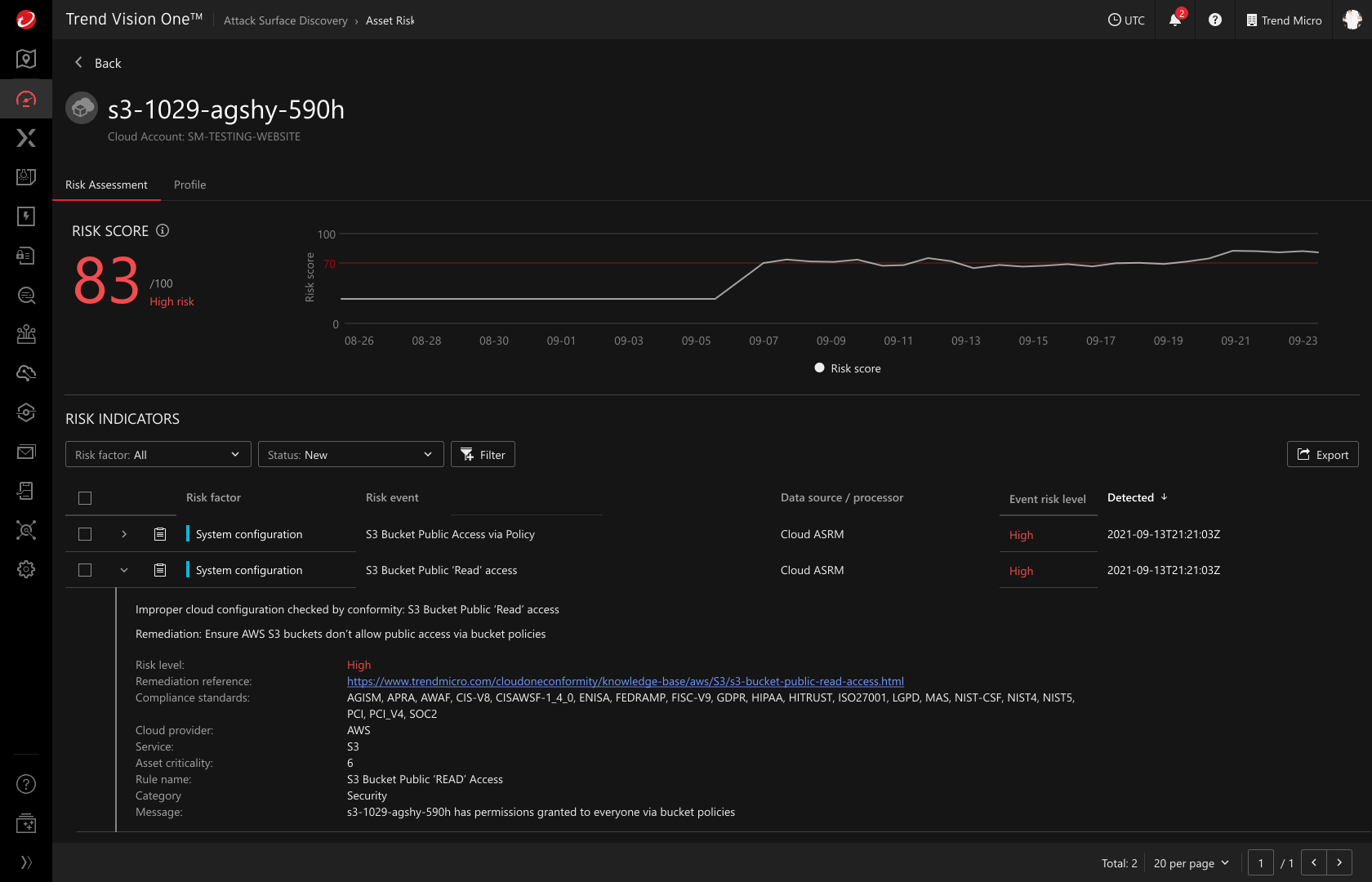
Overall risk
Shadow / Zombie APIs
Unauthorized endpoints
Detailed inventory of API activity and traffic patterns
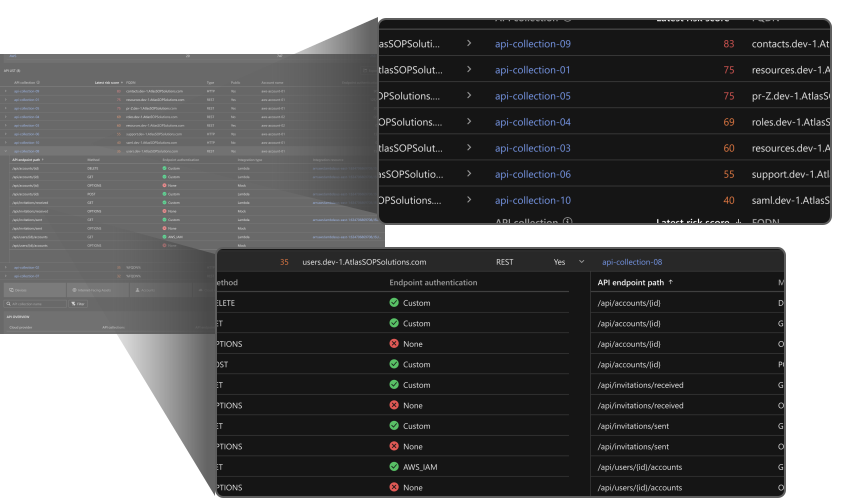
The problem
Customer feedback
"We want to see the interconnection of resources in order to easily identify potential attack paths."
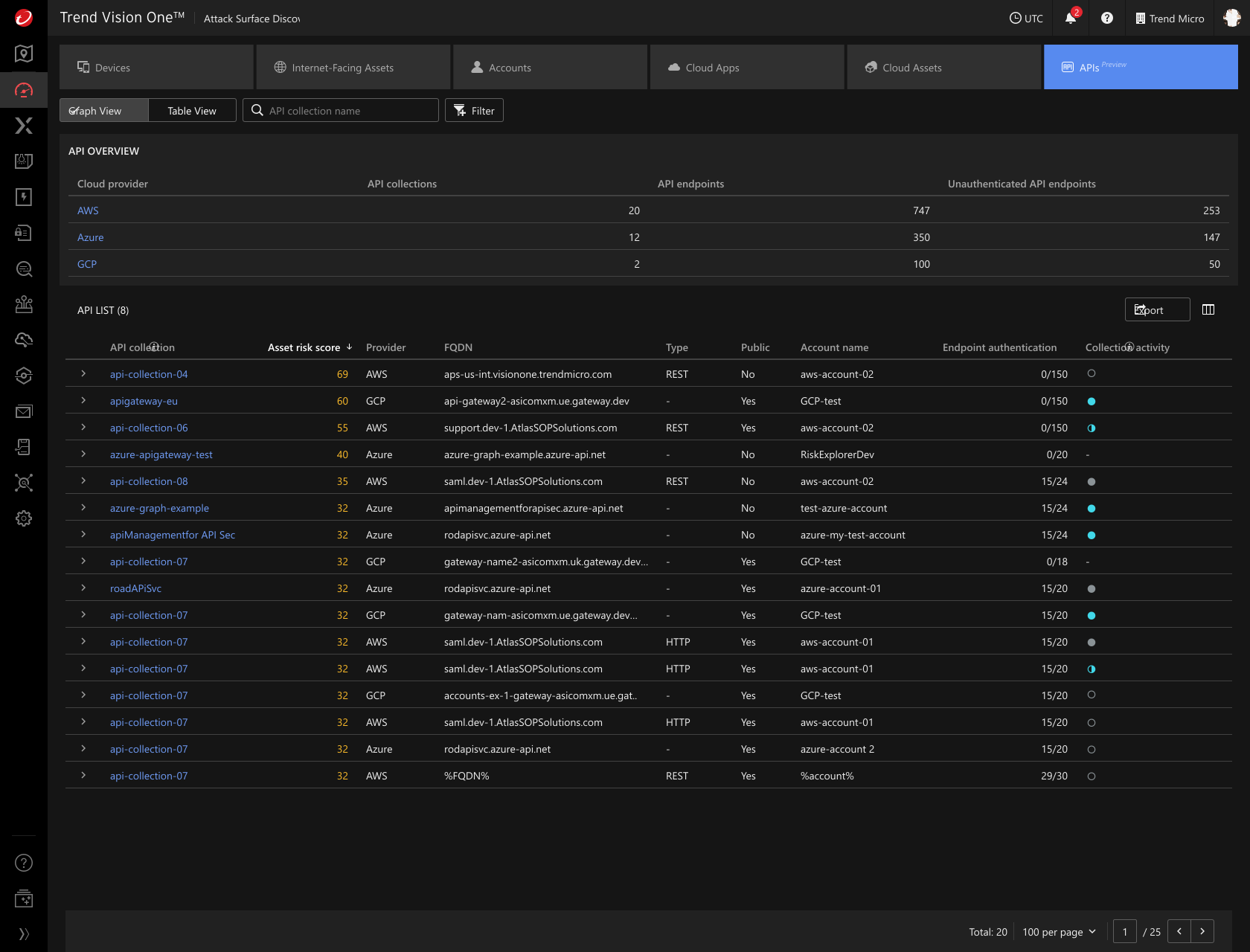
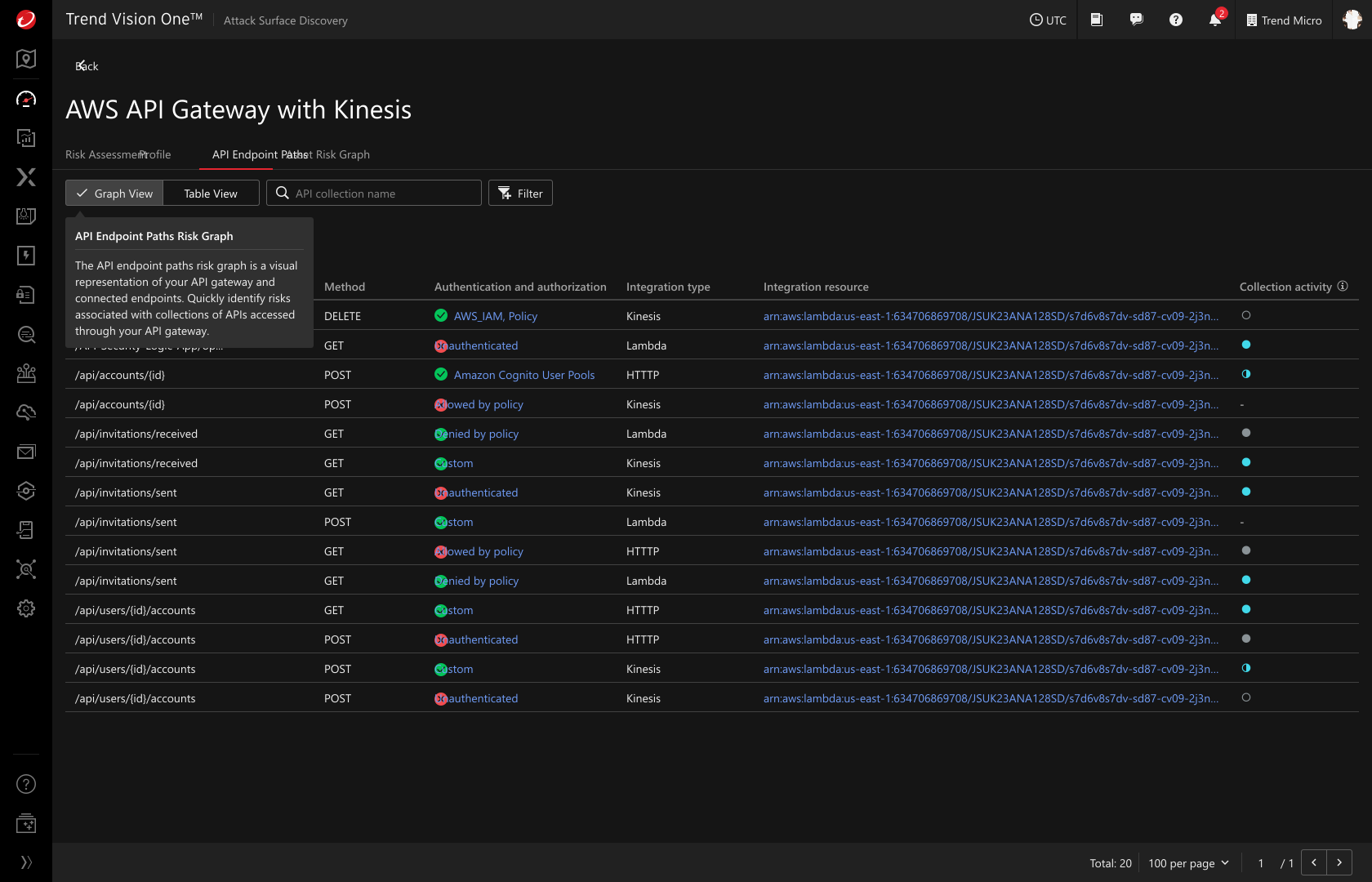
Working with flat, table-based views only, there was no intuitive way to understand API relationships, risk severity, and exposure at a glance.
API Collection Expanded
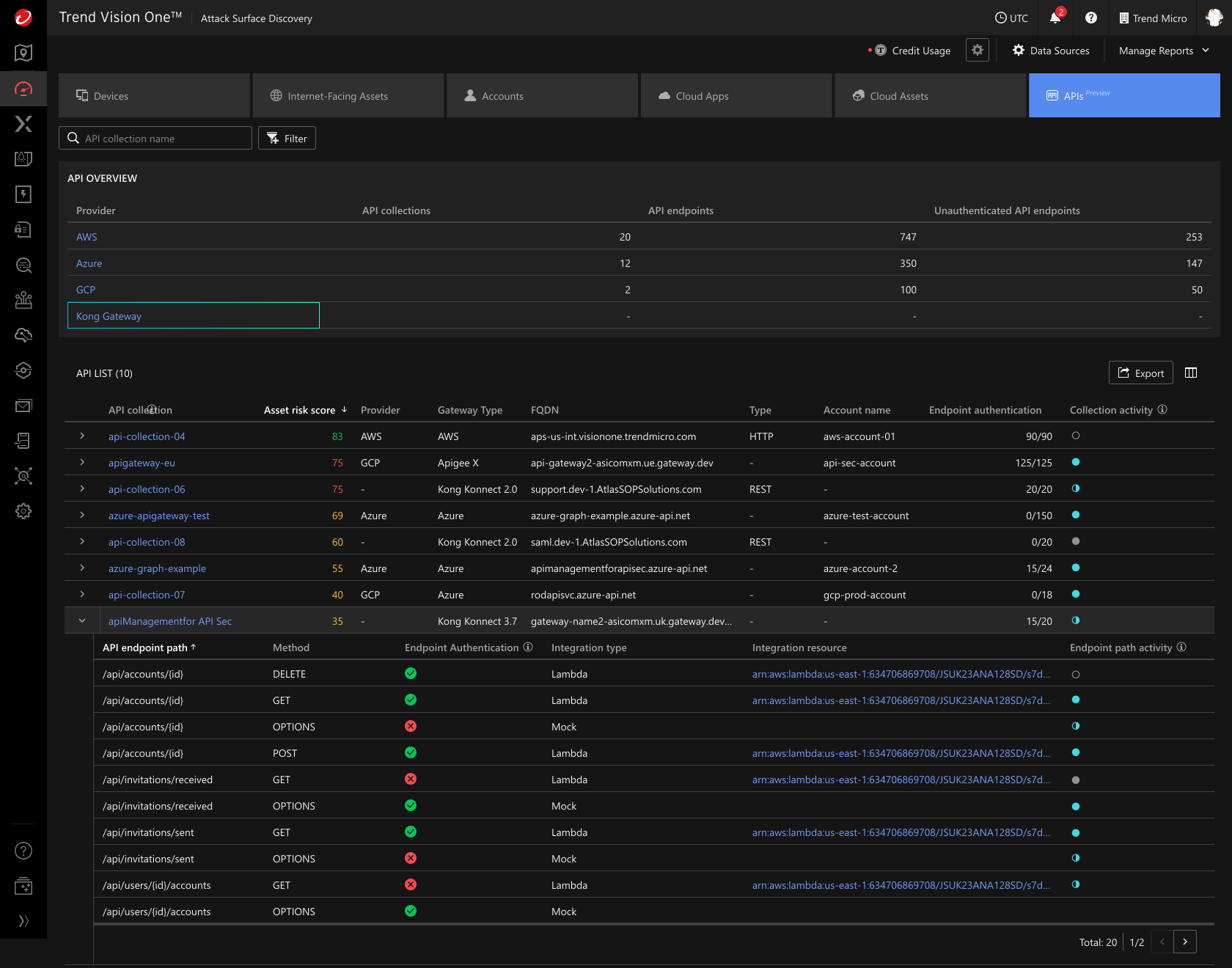
API Summary View
Risk Overview
API Endpoint Paths
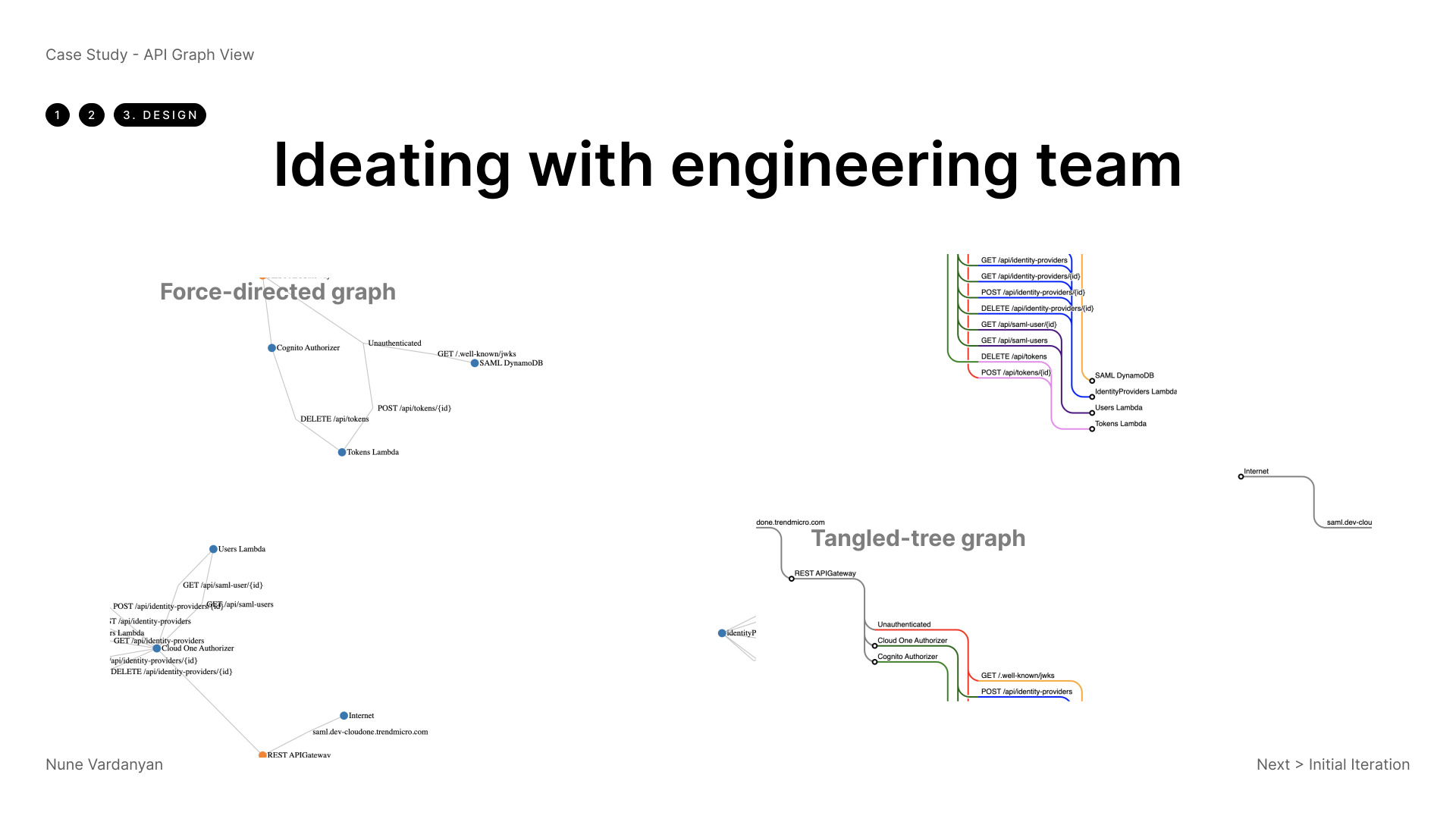
Case Study - API Graph View
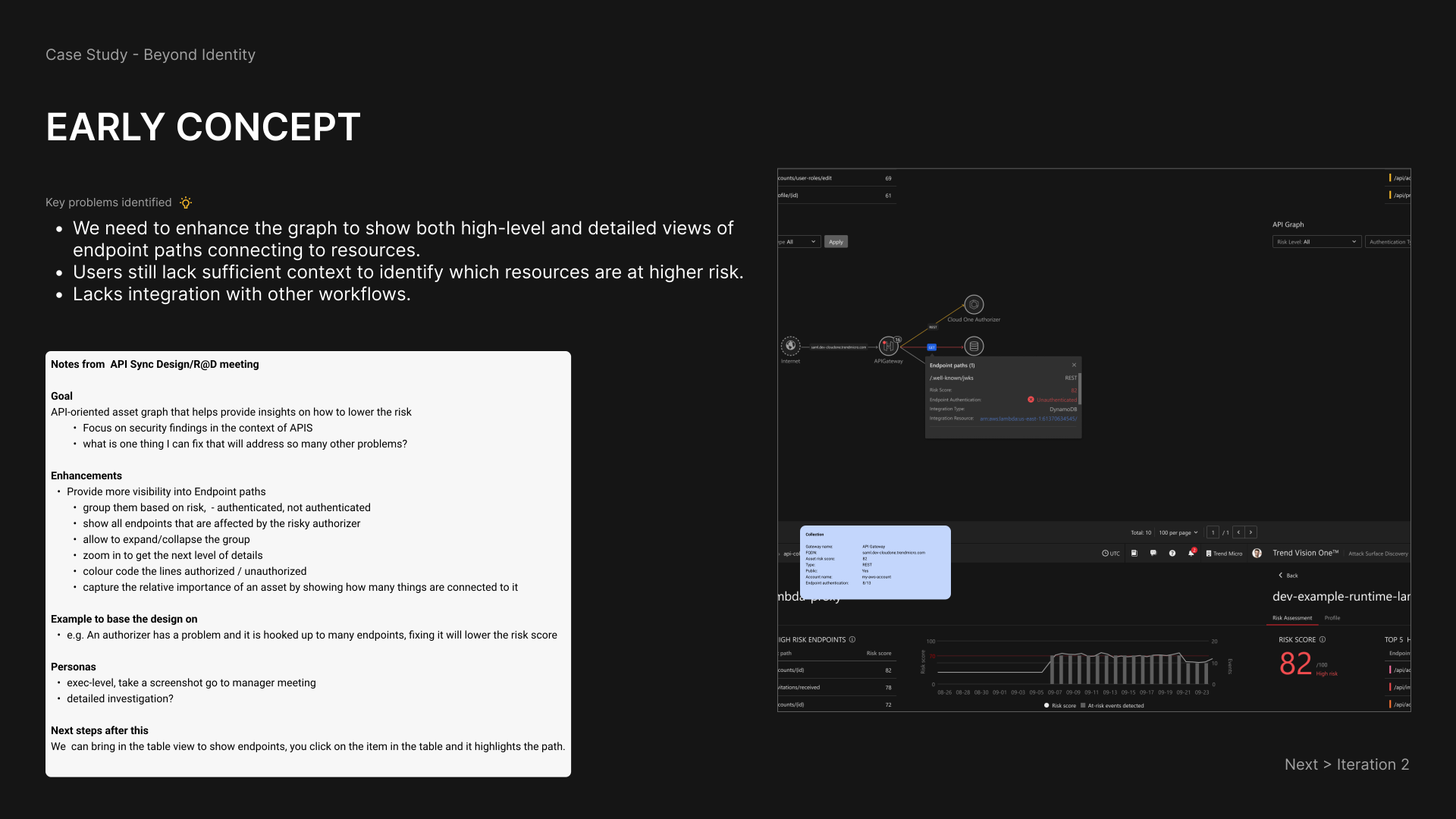
Customer feedback
"We need the graph to show both high-level and detailed views of endpoint paths connecting to resources — right now it's hard to get the full picture."
"It's still not clear which resources are at higher risk. We need more context in the view."
"This needs to connect with the rest of our workflows — right now it feels like a standalone tool."
Second Iteration
2 levels of abstraction
Progressive disclosure of data
Highlighting and grouping of risky nodes
3rd Round of Iteration and Feedback
Customer Feedback
Preferred staying within the same view — navigating to a new one caused loss of context
High-level groupings disappeared when drilling into detail
Color usage felt distracting rather than informative
Needed clearer connections to related visualizations and assets
Iteration Focus
Maintain full functionality within a single view
Progressive disclosure without losing sight of high-level groupings
Easy drill-in and drill-out navigation
Design Decisions
Toned down color palette to reduce visual noise
Context-preserving drill-down — high-level view always visible
In-view expansion patterns instead of deep navigation
Connected API graph to correlated assets for full context
Takeaway
The most complex data becomes navigable when you give people the right spatial context. A graph isn't just a visualization — it's a different way of thinking about a problem.
Context is everything
Flat table views failed not because the data was wrong, but because they stripped out the relationships. Spatial layout made attack paths visible at a glance.
Navigation depth kills context
Every time users drilled into a new view, they lost sight of the bigger picture. Keeping progressive disclosure within a single view preserved mental models.
Visual noise is a trust problem
Overusing color to signal risk backfired — users stopped trusting the highlights. A toned-down palette made the truly critical signals stand out.